

How channel connections work
What a connection is, what syncs in each direction, and the four states a listing passes through.
Santara AI is your channel manager: it connects the channels you sell on. Once a listing is live, four things flow:
| Direction | What moves |
|---|---|
| Out to the channel | Availability, nightly rates, minimum stay, restrictions |
| In from the channel | Reservations, cancellations, guests, messages, reviews |
| In, once, at import | Listing details — title, photos, amenities, capacity, existing rates |
| Out, on demand | Your reply to a guest message; your reply to a review |
Anything else stays where it is. Santara AI does not edit your listing’s description, and it never changes a price on a channel that you did not either type or ask a pricing rule to work out.
Supported channels
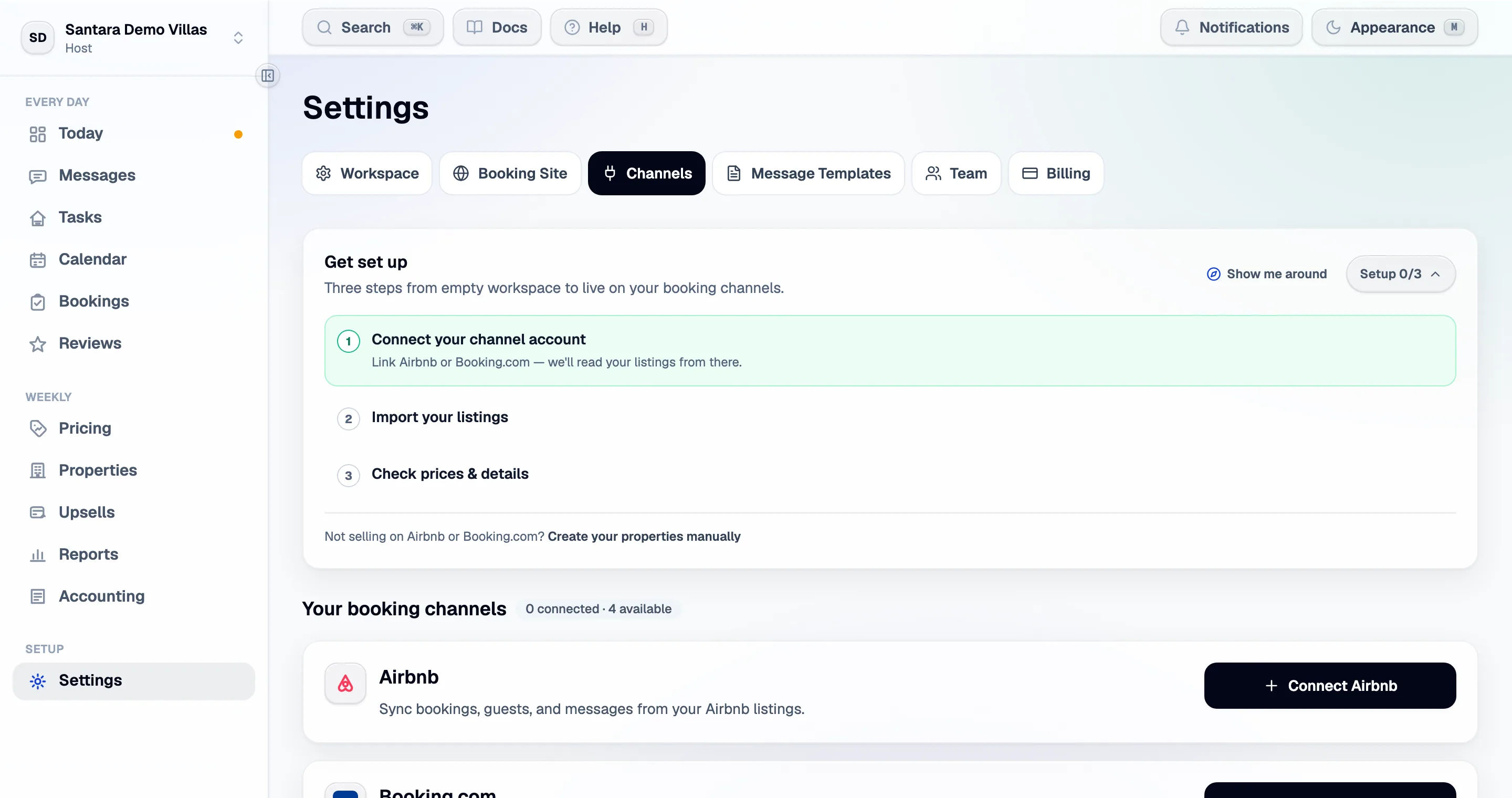
Section titled “Supported channels”Santara AI connects to 54 sales channels, plus your own booking site. Airbnb and Booking.com have a guided connect flow; every other channel connects from the channel list in Settings.
| Channel | How it connects |
|---|---|
| Airbnb | You authorise Santara AI on Airbnb, then pick listings — Connect Airbnb |
| Booking.com | You add a connectivity provider in the extranet, then enter your Hotel ID — Connect Booking.com |
| Every other channel — Agoda, Expedia, Trip.com, Vrbo, Traveloka, Tiket.com, Hostelworld and more | Settings → Channels → Add a channel, pick it from the list, then connect and map it in a three-step setup — Connect another channel |
| Your booking site | Built into Santara AI, no connection needed — Your direct booking site |
| PriceLabs | Read-only detection: if you run PriceLabs, Santara AI’s own pricing engine stands aside |
Every channel gets the same calendar, rates and restrictions, and brings bookings, cancellations and guests in. Two things differ by channel:
- Guest messages. Replies go out on Airbnb, Booking.com and Expedia only — those are the channels that pass guest messaging through a connection. On any other channel, answer the guest in that channel’s own inbox. Vrbo guest messages are not supported.
- Reviews arrive, and can be answered, where the channel passes them on.
Connections and accounts
Section titled “Connections and accounts”A connection is one channel account. You can connect:
- several Airbnb accounts to one workspace — a common case for managers who hold listings under different host logins;
- several Booking.com properties, one per Hotel ID;
- any other channel from the list, one property at a time — connect the same channel again for another property.
Each connection has its own page under Settings → Channels showing its listings, when it last synced, and every action available for it. Nothing in Santara AI assumes there is only one of anything.
The four states of a listing
Section titled “The four states of a listing”This vocabulary is used identically on every screen:
- Not connected — no channel account is linked.
- Linked — not mapped yet — Santara AI can see the listing on the channel, but it does not point at any room here. Nothing syncs.
- Mapped — awaiting activation — it points at a room. Still nothing syncs; the channel has not handed over.
- Live — availability and rates go out, bookings and messages come in.
The gap between 3 and 4 is deliberate and it is yours to close. See Going live.
Sync timing
Section titled “Sync timing”- New bookings, cancellations and messages arrive within seconds to a minute, pushed by the channel.
- Availability and rate changes you make are pushed as you save them, usually visible on the channel within a minute.
- A full re-read of a connection happens when you press Refresh on it, and on a schedule.
If a channel has an outage, changes queue and drain when it recovers. You do not need to repeat them.
What disconnecting does
Section titled “What disconnecting does”Disconnecting a connection stops syncing and removes the reservations, guests, messages and reviews that came from it. Nothing on the channel is affected — your listing, its calendar and its bookings are untouched there. You can reconnect the same account later and import again.
Removing a single listing (Remove from Santara AI) does the same for that one room.
For AI tools: this page as markdown · llms.txt · llms-full.txt