

Workspace settings
Language, timezone, currency, notifications, message templates — the things you set once.
Settings is one page with tabs, and every tab on it belongs to the workspace everyone shares. Your own account is deliberately not one of them — it lives behind the account menu at the foot of the sidebar, because that is where somebody looks for their own password. See Your account and security.
| Tab | Scope |
|---|---|
| Workspace | Shared — name, language, timezone, currency |
| Booking Site | Shared — your direct booking site |
| Channels | Shared — channel connections |
| Message Templates | Shared — saved guest replies |
| Team | Shared — people and roles |
| Billing | Shared — plan and invoices |
Language
Section titled “Language”Santara AI’s interface is available in English, Bahasa Indonesia and Tiếng Việt.
- Your language setting changes the interface for you.
- The workspace’s language decides what language the daily brief is written in, and the default language for anything the workspace generates for a group.
These are separate on purpose: a Vietnamese-speaking manager can work in Vietnamese inside a workspace whose brief goes out in Indonesian to the cleaning team.
Timezone
Section titled “Timezone”The workspace timezone decides what “today” means — for arrivals, for cleaning, for the brief, and for every date on every report. Set it to where the properties are, not where you are.
Currency
Section titled “Currency”The workspace currency is what figures are displayed in. Your booking site has its own currency setting for what guests see.
Operations preferences
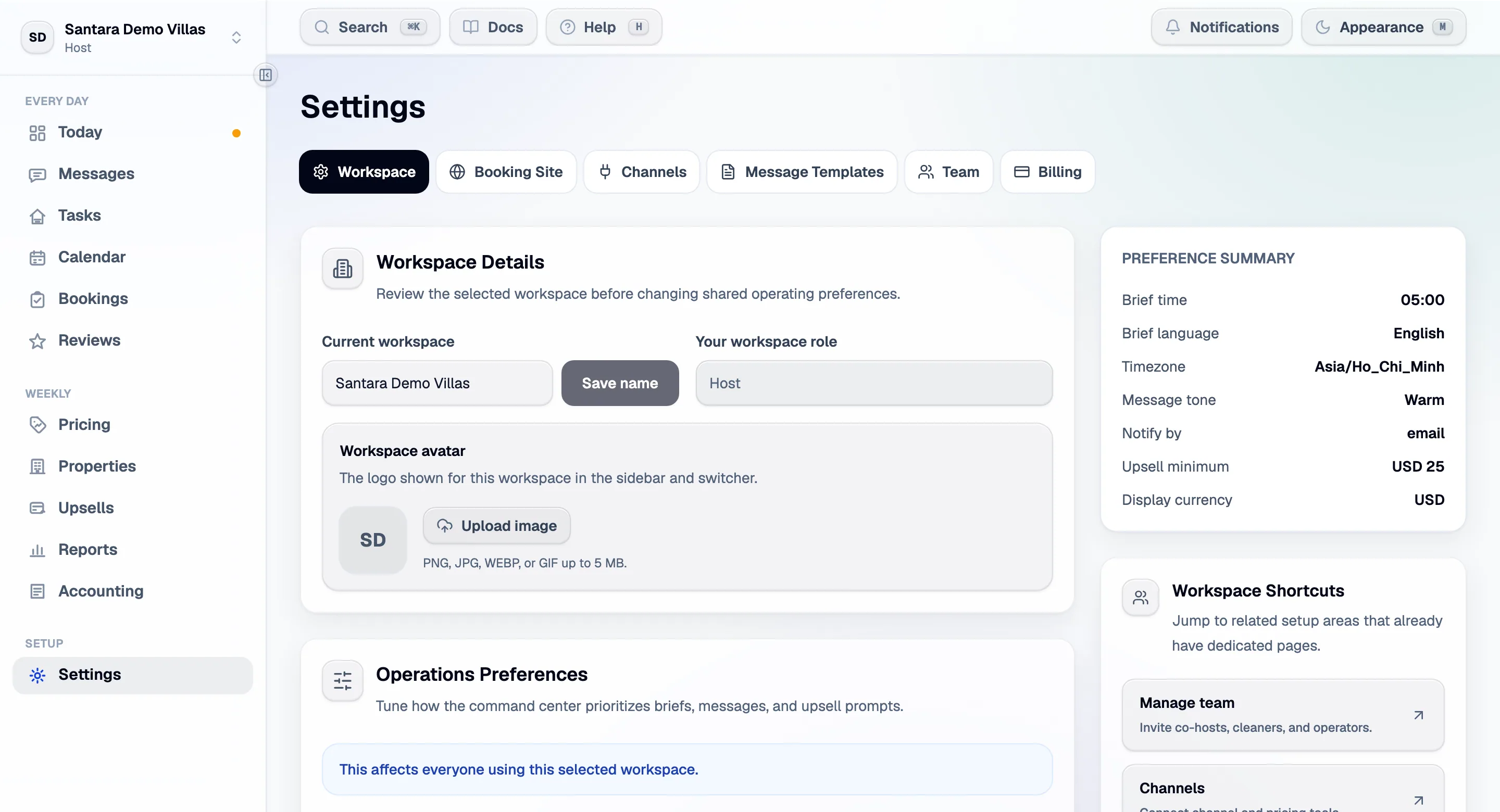
Section titled “Operations preferences”The workspace tab carries the settings that change how the product behaves for everyone in it:
| Setting | What it does |
|---|---|
| Daily brief time | When the brief is generated each day |
| Daily brief language | What language it is written in — separate from the interface language |
| Workspace timezone | What “today” means, everywhere |
| Display currency | The currency figures are shown in |
| Default message tone | The register the drafted guest replies start from |
| Minimum upsell value | Opportunities below this are not surfaced, so the pipeline stays worth reading |
| Open Daily Brief first | Start the app on the brief rather than the dashboard |
| Same-day arrival alerts | Email the team when a booking lands for a stay checking in today — on by default |
| Notification channel | Dashboard today; email and SMS are not wired up yet |
Same-day arrival alerts
Section titled “Same-day arrival alerts”A booking made for today is the one that can go wrong: the room may not be cleaned in time. When a booking is created — or cancelled — for a stay checking in today (in the workspace timezone), an email goes out straight away, whether the booking came from a channel, your booking site or was entered by hand.
- Managers and co-hosts get Arriving today (or Cancelled today) with the stay, the guest’s contact details, the money and the cleaning window. If the clean will finish late, it says so and asks for a decision.
- The cleaner for that room gets Clean today (or Clean stood down) with the work order.
- The person who entered the booking is not emailed about their own booking.
Changed dates do not send an email; they appear in the bell. Only the workspace owner or an admin can turn the alerts off.
There is also the workspace’s name and avatar — the logo shown in the sidebar and the workspace switcher, which is what stops two workspaces looking identical at a glance.
Notifications
Section titled “Notifications”The bell in the header. Notifications are addressed by who can act on them rather than by name, which is why a manager added next month immediately receives the ones that were always meant for their role — nothing has to be re-pointed at them.
There are ten kinds: a booking created, changed or cancelled; a clean assigned to you or finished; a ticket opened, assigned to you or done; a channel connected, which names the channel, the property and how many rooms were mapped; and a guest request from the guest guidebook, which names the guest, the extra, its price and the room. Everything else the product knows lives on a screen rather than in the bell, on purpose — a notification list that reports things you cannot act on stops being read.
Message templates
Section titled “Message templates”Saved replies with placeholders that fill themselves in from the stay — guest name, check-in time, wifi password, door code, the amount due. Shared by the workspace, so an answer your team agreed on is the answer everyone sends.
Writing them, previewing against a real reservation, and the five you start with: Message templates.
Switching workspaces
Section titled “Switching workspaces”The account menu lists every workspace you belong to. Each has its own properties, team, billing and booking site; nothing is shared between them.
For AI tools: this page as markdown · llms.txt · llms-full.txt