

Rates and availability
Per-date prices, how many units are sellable, and the stay rules that go out to your channels with them.
Smart pricing decides the shape of the year. This is where you set a specific night by hand, and where the rules that are not prices — minimum stay, how many units are sellable — live.
Open it from a property: Properties → the property → Rates.
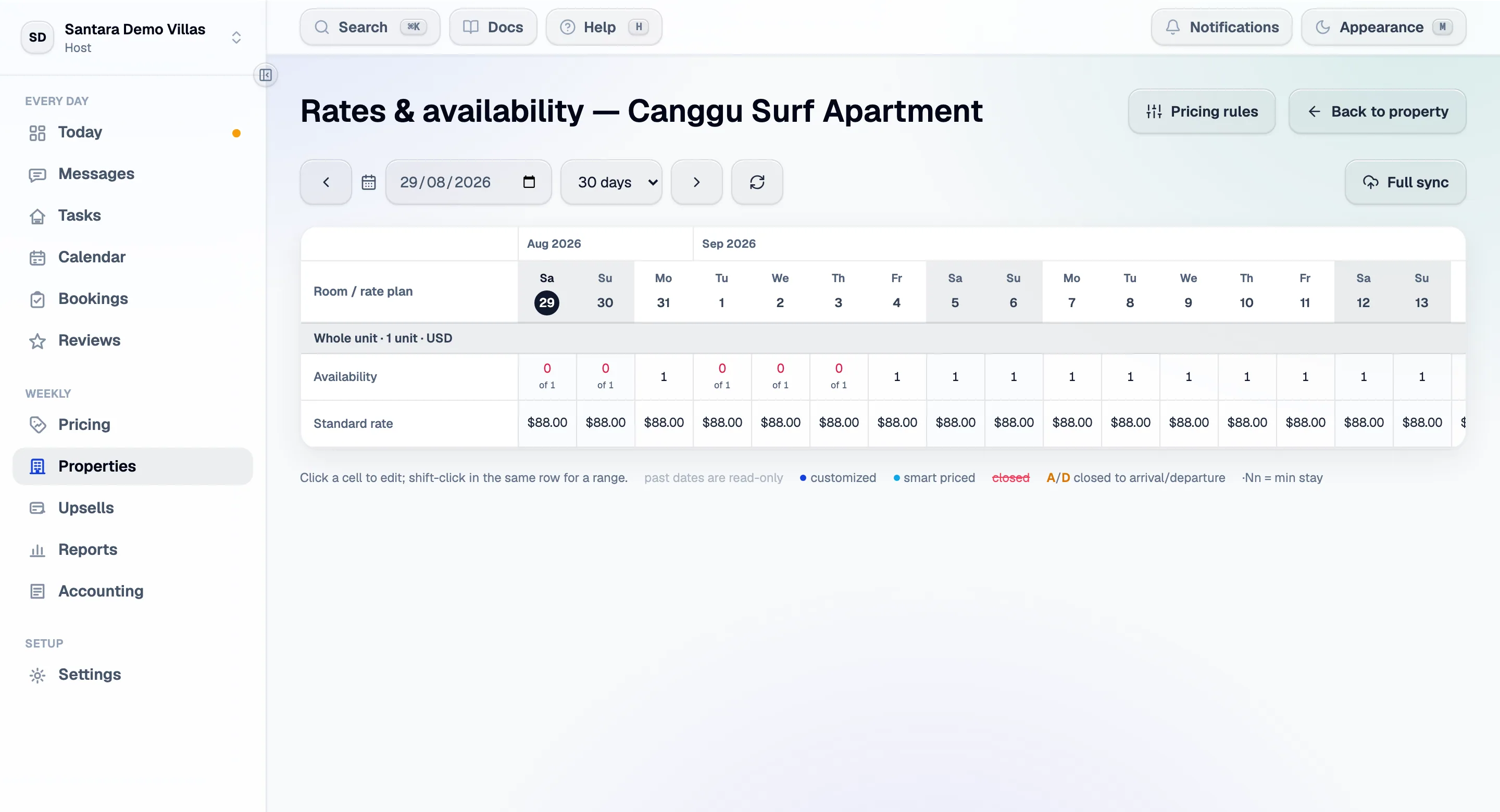
The grid
Section titled “The grid”Rooms and their rate plans down the left, dates across the top. Click a cell to edit it, or shift-click another cell in the same row to edit the whole range between them — which is how you price a week without touching seven cells.
| Field | What it means |
|---|---|
| Price | The nightly rate for that date on that rate plan. It publishes to your connected channels |
| Units | How many of that room are sellable that night. Capped at the room’s unit count — a higher number is rejected, and bookings reduce what remains |
| Minimum stay | Applies to both arrival and through-stay rules |
| Closed | Nobody can book that night, on any channel |
Saving pushes a batched update to your channels. There is no separate publish step, and there is no draft state — what you save is what your channels are told.
Rate plans
Section titled “Rate plans”A rate plan is a price for a room plus its rules: how many guests are included, what an extra guest costs, cancellation terms, and the restrictions above. A room can have more than one — a flexible rate and a cheaper non-refundable one.
Plans are mirrored with your connected channels. Edits here sync out; a plan created on the channel side appears here after a refresh rather than needing to be retyped.
Restriction fields on a plan apply to every day. Leave one blank to keep whatever the channel currently holds — a blank is “don’t manage this”, not “set it to zero”.
Full sync
Section titled “Full sync”Push 500 days of availability and rates for every room on the property, as two channel updates. Use it when you suspect a channel has drifted out of step — after an outage, or after editing on the channel side.
It is safe to run and it is not a repair for a mapping problem: if a listing points at the wrong room, a full sync sends the wrong data faster. Check the mapping first.
What overrides what
Section titled “What overrides what”Working from the strongest:
- Closed — nothing sells, whatever the price says.
- The channel’s own accepted range — narrows your price; it never widens it.
- Your floor and ceiling in pricing settings — automatic pricing never crosses them.
- A price you typed here — protected from the pricing engine unless you have explicitly allowed it to overwrite manual prices.
- The pricing rules — everything else.
An empty grid
Section titled “An empty grid”“No rooms with editable rate plans yet” means the property has rooms but none of them has a rate plan to price. Add one from the room, then come back.
For AI tools: this page as markdown · llms.txt · llms-full.txt