

Your direct booking site
A booking website on your own subdomain or domain, paid into your own Stripe account.
Every workspace can publish a direct booking site. The money goes to your Stripe account, not ours.
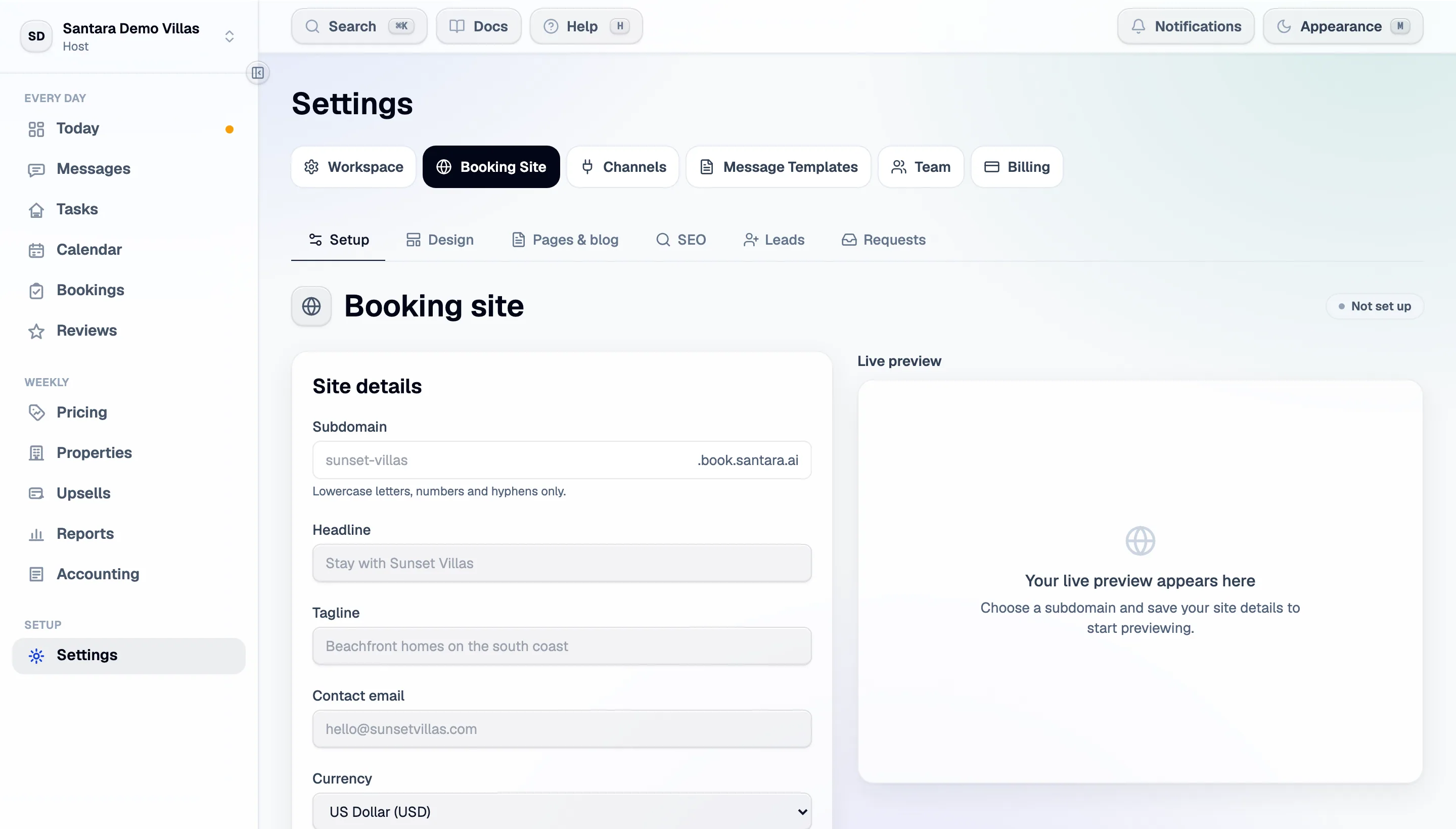
Booking Site in the sidebar. The left side is the setup; the right is a live preview.
1. Pick a subdomain
Section titled “1. Pick a subdomain”Lowercase letters, numbers and hyphens. It is what guests will type, so make it your business name. Save the site details, and the preview starts working.
2. Choose a look
Section titled “2. Choose a look”A template decides how each section looks; you decide which sections appear and in what order. Pick a template and an accent colour, upload a logo (PNG, JPG, WEBP or GIF up to 5 MB, or a public image URL), and set the currency prices are shown in.
3. Build the home page
Section titled “3. Build the home page”Drag the sections into the order you want, or hide one without deleting what you wrote:
| Section | What it is |
|---|---|
| Hero | Headline, tagline, banner image |
| Trust | The three no-fees / best-price / direct-contact points |
| Listings | Your property and room cards. Always present |
| About | Free text and an optional photo |
| Reviews | Star ratings pulled from your synced channels |
| Gallery | A grid of your own images |
| FAQ | The questions guests ask before booking |
| Blog | Teaser cards linking to your posts |
| Contact | Your details and an enquiry form |
| CTA | A closing banner with a button |
| Rich text | Anything else, anywhere on the page |
4. Choose which properties appear
Section titled “4. Choose which properties appear”Pick the properties on the site and how guests can book each one — instantly, or by enquiry.
5. Connect Stripe
Section titled “5. Connect Stripe”Payments connects your own Stripe account. You sign in to (or create) Stripe on Stripe’s own site. Santara AI never touches the money and never sees a card number.
Santara AI takes 3% commission on direct bookings. Payments go to your own Stripe account.
6. Publish
Section titled “6. Publish”Until you publish, the site is fully disallowed to crawlers — nothing leaks before you are ready. Publishing generates the sitemap and robots rules and keeps them in step with what you publish afterwards.
Your own domain
Section titled “Your own domain”The site always lives at its subdomain. To serve it from a domain you own as well — say
stay.yourvilla.com — use the Custom domain card on the booking site page:
- Enter the domain and press Connect domain.
- Add the two DNS records it shows (a TXT and a CNAME) at your DNS provider, then press Verify. DNS changes can take up to an hour to spread.
- Once it shows Active, links, the sitemap and social previews use the new domain. The subdomain keeps working alongside it.
Most providers cannot put a CNAME on a root domain (yourvilla.com with no prefix) — use an ALIAS
or ANAME record, or connect a subdomain such as stay. instead. HTTPS for a custom domain is
switched on by the Santara AI team after you verify; if the padlock has not appeared within a day,
contact support.
Pages and blog posts
Section titled “Pages and blog posts”Write posts and standalone pages in the content editor, from blocks: text, images, tables (one row
per line, columns separated by |), dividers. Inline <strong>, <em> and links are allowed.
Drafts stay private until you publish them. Each page has its own SEO summary — add one, or search engines get whatever they can scrape.
Contact details
Section titled “Contact details”Shown in the contact section and the footer. The address links to Maps; Santara AI never embeds a map iframe you supply. Pick the language guests see first — they can still switch.
What guests get
Section titled “What guests get”A site that lists your rooms with live availability and live prices from the same calendar the channels use. A direct booking closes those nights everywhere, exactly like a channel booking.
What guests send you back — contact-form enquiries, and requests to book on request-mode properties — is Enquiries and booking requests.
For AI tools: this page as markdown · llms.txt · llms-full.txt