

Plans and billing
A 3-month (90-day) free trial with a three-listing limit, two tiers, pricing per listing that falls as you grow, and 0% commission on channel bookings and upsells.
Settings → Billing. The figures on that screen are authoritative for your workspace — this page explains the shape of them.
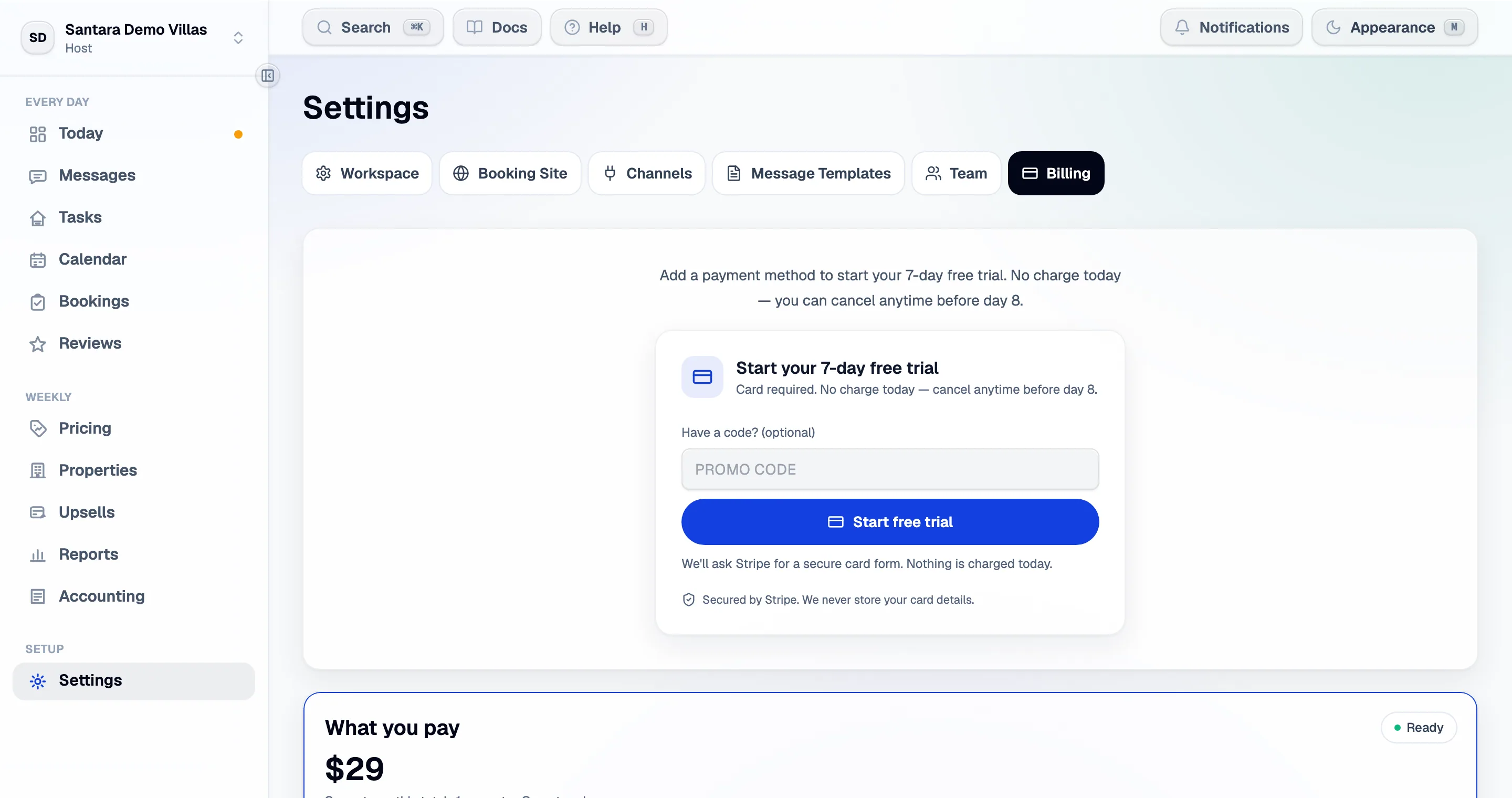
The trial
Section titled “The trial”Three months free — 90 days — and a card is required. Nothing is charged on the day you add it, and cancelling before day 91 costs nothing.
What you are billed for
Section titled “What you are billed for”A listing — one sellable room. Not a property, and not a channel connection.
A four-bedroom villa let by the room is four listings. The same villa let whole is one. This is counted the same way no matter how the rooms got there: created by hand, imported from Airbnb, or linked from Booking.com.
Only active listings are billed. The Billing screen shows the count it is charging against your total.
The two tiers
Section titled “The two tiers”You choose the tier. It decides what the product does, and it never changes on its own as you grow.
| Host | Operator | |
|---|---|---|
| Price | $9.99 per listing, at any size | Falls per listing as you grow — see the bands below |
| The schedule and calendar | Yes | Yes |
| Channel sync | Yes | Yes |
| Cleaning and maintenance | Yes | Yes |
| AI insights and the tomorrow preview | — | Yes |
| Unified inbox and guest profiles | — | Yes |
| Pricing insights | — | Yes |
| Upsells | — | Yes |
Host’s number never moves: 30 listings on Host is $299.70 a month. That is the whole proposition — one figure, times however many listings you run.
The Operator bands
Section titled “The Operator bands”Within Operator, the band follows your listing count. Nothing here is chosen; it is arithmetic.
| Band | Listings | Base | Each additional listing |
|---|---|---|---|
| Operator | 1–10 | $29/mo, covering the first listing | $25 |
| Portfolio | 11–40 | $254/mo, covering the first ten | $18 |
| Enterprise | 41+ | from $794/mo, covering the first forty | $12 |
The bands are continuous: each base is exactly the previous band’s price at that listing count ($29 + 9 × $25 = $254; $254 + 30 × $18 = $794). Nothing jumps when you cross a boundary — the eleventh listing simply costs less than the tenth.
Enterprise is quote-only. It carries an SLA and dedicated onboarding, and Portfolio is arithmetically cheaper at every count, so there is no listing count at which a self-serve checkout could honestly sell it. Above forty listings, talk to us.
Markets with their own price
Section titled “Markets with their own price”Some countries have their own price book — Vietnam first. It is the simplest one we publish: one flat rate per listing, per month, in the local currency. No base fee, no tiers, no bands. One listing or fifty, every listing costs the same, and the plan carries the whole product — everything in the Operator column above.
The rate for your country is on the pricing page, which shows the price for where you are, and — once you subscribe — on Settings → Billing. It is billed in the local currency, not in dollars converted at checkout.
Which book you are on is set when the workspace is created, from the country you signed up from — so it follows the operator rather than the properties. A manager based outside Vietnam is on the global schedule above even if every listing is Vietnamese, and the reverse holds too. It does not switch afterwards: a card can only ever be charged in one currency, so moving between books means a new subscription rather than a setting — talk to us if you are on the wrong one.
Choosing between Host and Operator
Section titled “Choosing between Host and Operator”Change it from Settings → Billing, and only the workspace owner can:
- Host → Operator takes effect immediately. Your card is charged today for the change, with your unused Host time credited.
- Operator → Host takes effect at your next renewal. Nothing is charged and nothing is refunded, and you keep the Operator features until then.
The asymmetry is deliberate: gaining features should not wait, and losing them should not happen mid-month by accident.
Commission
Section titled “Commission”Santara AI takes no commission on channel bookings (Airbnb, Booking.com and the rest) or on upsells. It takes 3% commission only on direct bookings made through your direct booking site. Everything else is the subscription described above.
Adding a listing mid-month
Section titled “Adding a listing mid-month”Going past the listing count your plan covers is a deliberate, priced action rather than a silent change to your invoice.
- Adding the room shows how many listings you are using of how many you have paid for.
- It quotes what it costs today — the pro-rated amount for the rest of this billing period.
- Your usual monthly amount resumes at the next renewal.
- You confirm, and the card is charged then and there.
If the card is declined, nothing is charged and no listing is added. If you have no card saved yet, you are sent to add one first. If you are still in the trial and this is the listing that passes the allowance, the dialog says so plainly — it ends the trial and starts the plan that day.
A promotion code can be applied at checkout. Codes do not stack with a discount already on your plan.
What deleting a property does to the bill
Section titled “What deleting a property does to the bill”It stops being billed going forward. A charge already paid for the current month is not refunded — that is stated on the delete confirmation.
Managing payment
Section titled “Managing payment”Manage payment method opens Stripe’s own portal, where you update the card and download invoices. The card form is Stripe’s throughout; Santara AI never sees the number. Stripe’s invoices are the document your accountant wants.
If a payment fails
Section titled “If a payment fails”You get a banner and a notification. Stripe retries on its own schedule, and you have a grace period of three business days to fix the card.
If it is not fixed, the workspace becomes read-only rather than disappearing: everything is still there, sync stops, and you cannot make changes until billing is sorted. Fix the card and everything resumes.
Grandfathered and agreed pricing
Section titled “Grandfathered and agreed pricing”- Signed up under an earlier price list? You keep it. A price change never moves you; changing plan is something you do deliberately. The Billing screen names your plan, quotes what you would pay on current pricing, and offers Move to current pricing — which applies from your next renewal, with nothing charged that day.
- On terms agreed directly with us? The screen says so instead of quoting a standard rate, and your invoice is the exact figure.
Cancelling
Section titled “Cancelling”Cancel from the Billing screen. Access continues to the end of the paid period, with no further charge.
Your channel listings are unaffected — cancelling Santara AI does not touch your Airbnb or Booking.com account. But it does end the syncing that keeps their calendars aligned, so close or reconcile your calendars before you go.
For AI tools: this page as markdown · llms.txt · llms-full.txt