

Reports
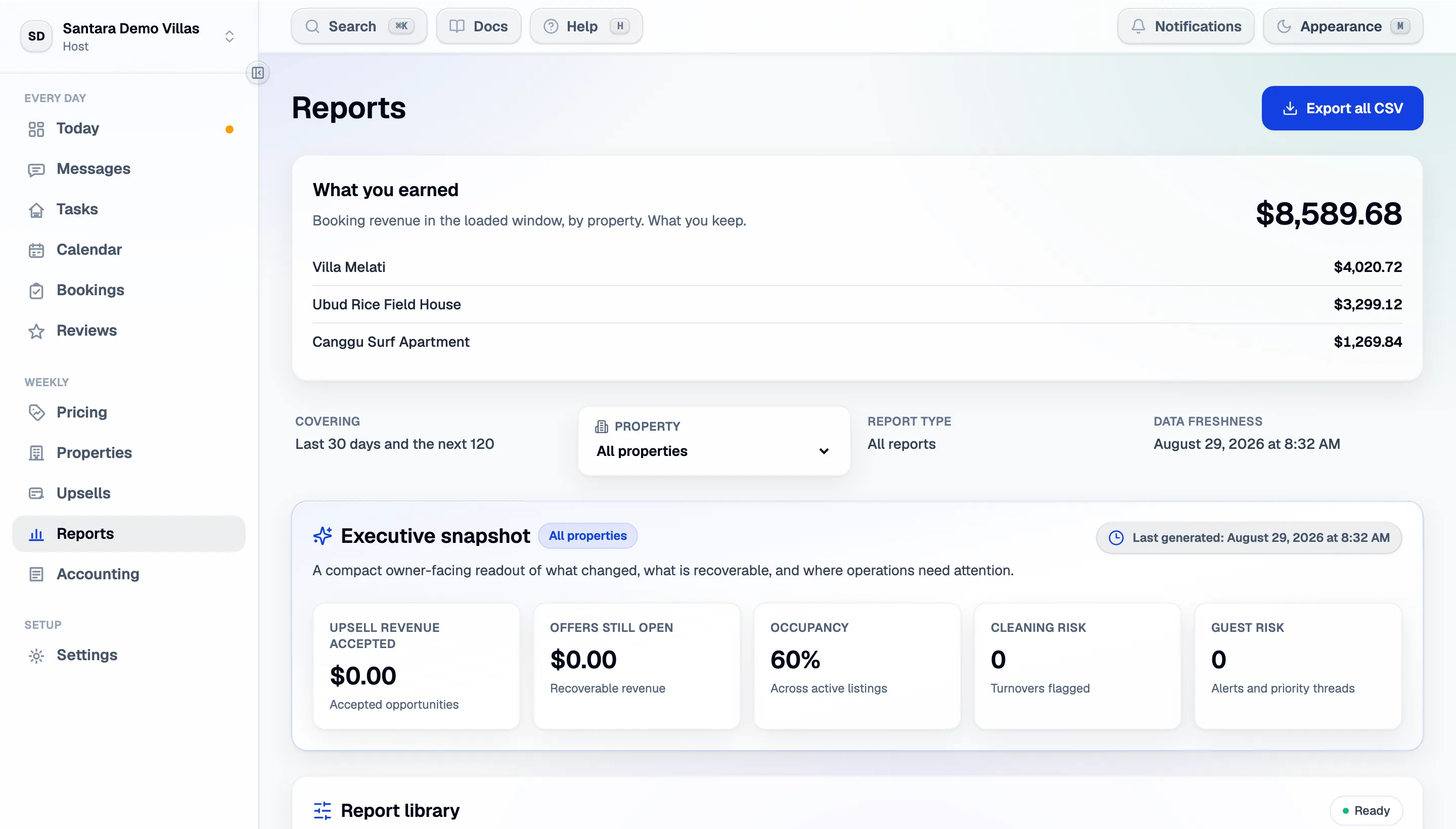
Revenue, occupancy, upsell capture and operational reliability — as owner-ready summaries and as CSV.
Reports answer “how did we do”, for you and for the people you answer to.
What revenue means here
Section titled “What revenue means here”Revenue is net payout — what the channel actually pays you, after commission. It is labelled on screen wherever it appears.
Three figures are stored separately for every stay, because they are genuinely different numbers:
- Gross — what the guest paid.
- Room revenue — the accommodation portion, excluding fees.
- Payout — what reaches you.
A report tells you which one it is using. If you are reconciling against a bank statement, payout is the one that matches.
The snapshot
Section titled “The snapshot”A compact readout of what changed in the period, what is recoverable, and where operations need attention. It is written to be forwarded to an owner without editing.
The report library
Section titled “The report library”Downloadable CSVs generated from live data:
| Report | What it answers |
|---|---|
| Portfolio recap | The week in one pass, for owners and operators |
| Upsell performance | Open, missed and accepted offers; strongest offer types by property |
| Operational reliability | Turnover risk, confirmation gaps, cleaner follow-up, blockers |
| Guest experience | Alerts, priority threads, complaint signals, recommended follow-ups |
CSVs are generated from the latest reservation, cleaning, guest and upsell data at the moment you download them — not from a nightly snapshot.
Scheduled reports
Section titled “Scheduled reports”Recurring reports can be kept ready for owners, cleaners and revenue review, so a weekly owner email does not have to be rebuilt by hand every Monday.
Breakdowns
Section titled “Breakdowns”Within any window you can break revenue, upsell value and risk down per room, and compare a room’s occupancy against what it earns per night — which is how underpriced and underfilled rooms separate themselves. A room that is always full and cheap and a room that is empty and expensive look identical in a revenue total and completely different here.
Occupancy, ADR, RevPAN
Section titled “Occupancy, ADR, RevPAN”- Occupancy — nights sold ÷ nights available.
- ADR — revenue ÷ nights sold.
- RevPAN — revenue ÷ every night you had to sell.
Judge pricing on RevPAN. It is the only one of the three that cannot be improved by making the other worse.
The other side of the books
Section titled “The other side of the books”Reports is what came in. What went out — cleaning, maintenance, utilities, owner statements — is Accounting. They are meant to be read in the same sitting.
For AI tools: this page as markdown · llms.txt · llms-full.txt