

Calendar & Room Status
Track unified booking calendars from multiple channels and perform quick actions on mobile.
The Calendar tab displays a unified grid of all bookings from Airbnb, Booking.com, and direct sources. This is where you grasp the room availability and occupancy rate of the entire system at a glance.
1. View Modes
Section titled “1. View Modes”The application supports flexible switching between 2 viewing modes to suit your needs:
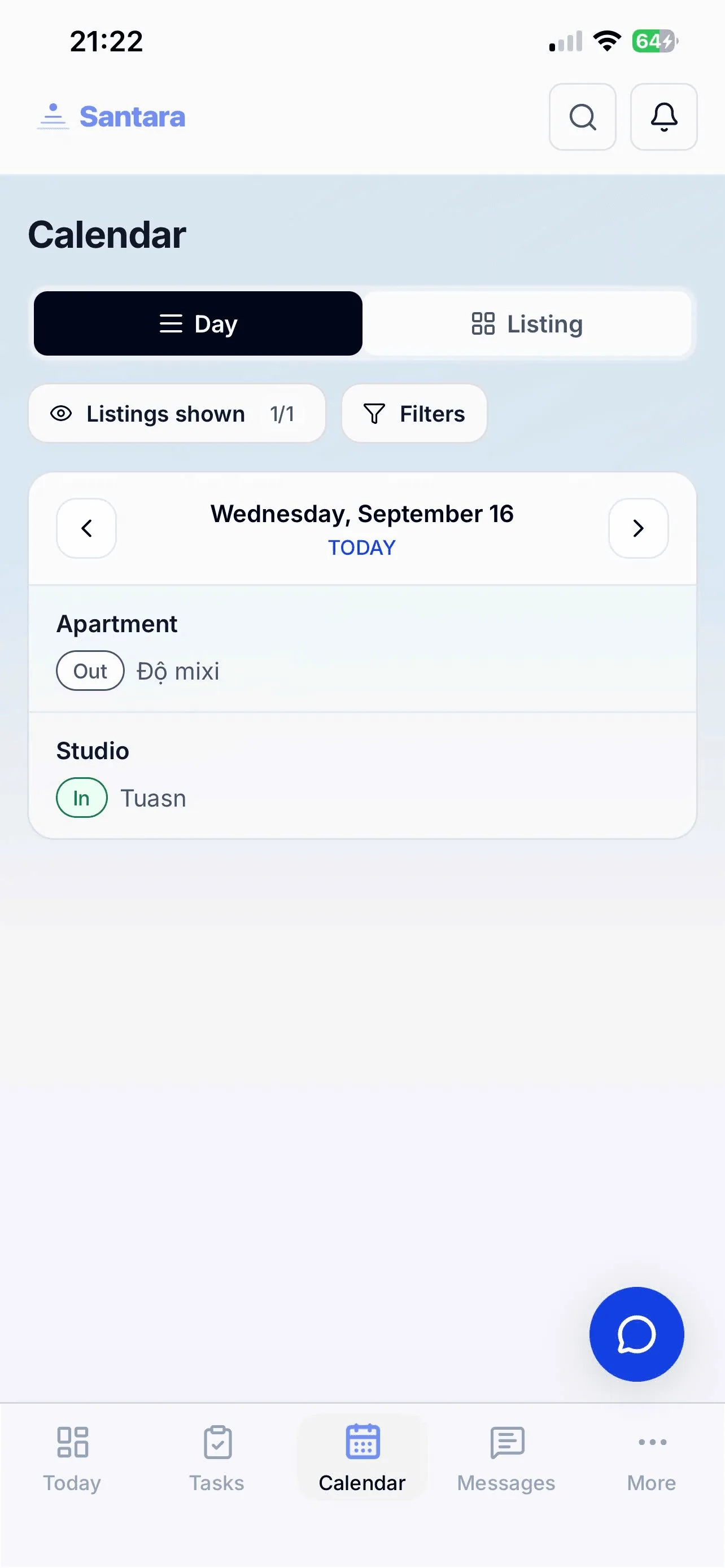
- Day View: Displays detailed room status for a specific day.
- Listing View: Displayed as a horizontal Timeline. The color blocks represent a stay (Booking). The horizontal axis is time, the vertical axis is the room list.
2. Listings Panel
Section titled “2. Listings Panel”If you have too many rooms, the calendar can get cluttered. You can tap the “Listings shown” button (eye icon) to open the selection panel. Here, you can tick to show only specific rooms or properties on the calendar, and hide unnecessary ones.
3. Smart Filters
Section titled “3. Smart Filters”Tap the “Filters” button to quickly filter the currently displayed bookings:
- By Source/Channel: View only guests from Airbnb, or only direct bookings.
- By Upsell Opportunity: Filter out customers with potential for service upgrades to prioritize care.
4. Navigation and Lazy Load
Section titled “4. Navigation and Lazy Load”The development team has optimized the source code for the calendar to load gradually (Lazy Load). You can freely swipe left/right, or tap the forward/backward buttons to view history in the past or far future. All scrolling operations on the phone are extremely smooth, without lag even with hundreds of rooms.
5. View Details and Quick Actions
Section titled “5. View Details and Quick Actions”When you tap a color block (Booking) on the calendar, the application will immediately open a detailed interface to view the guest’s name, number of nights, payment status, and revenue.
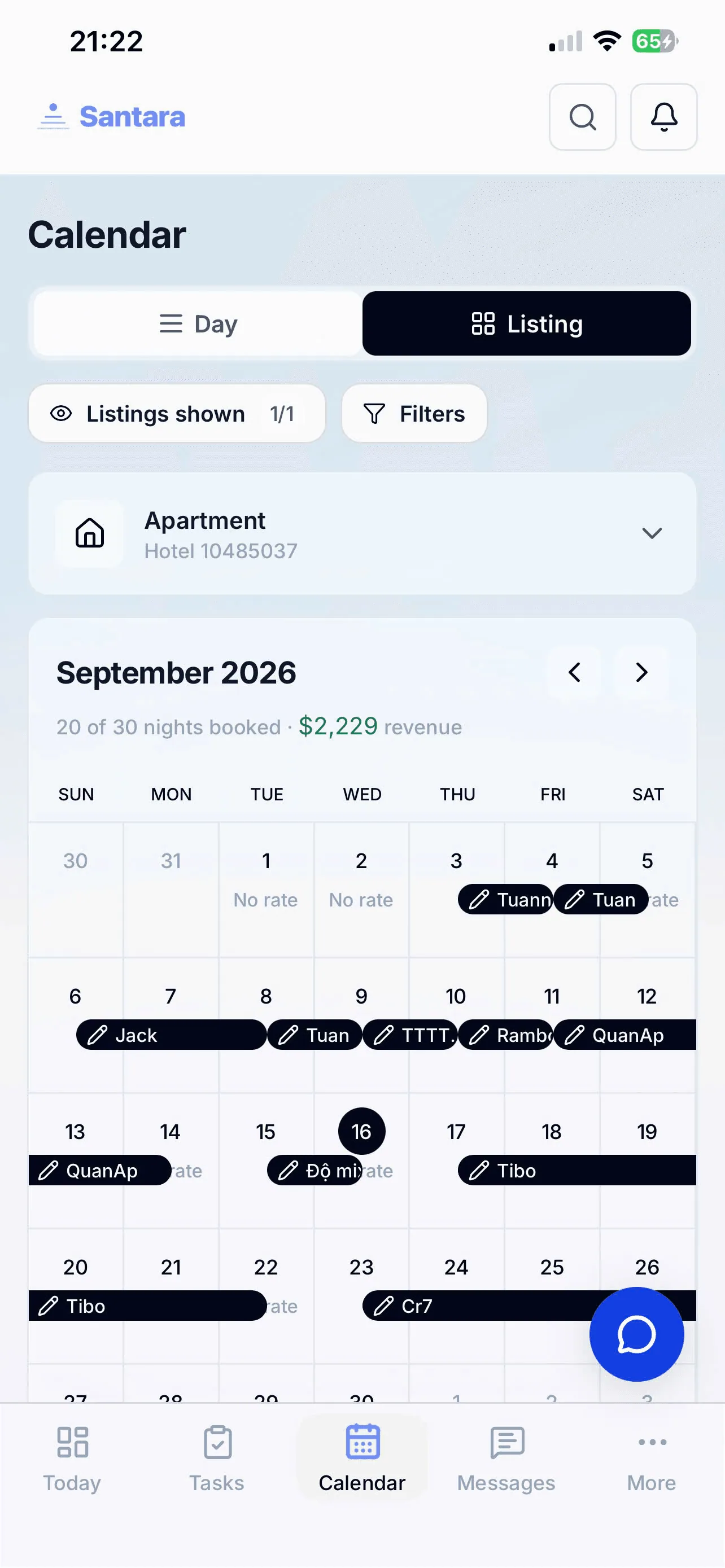
Thanks to the smart design, you can perform block date operations or Quick Price Override directly from the calendar without going deep into settings.
For AI tools: this page as markdown · llms.txt · llms-full.txt