

Tasks & Maintenance
Track cleaning schedules, assign shifts, and log issues.
The Tasks tab is where the cleaning and maintenance team checks the to-do list for today and tomorrow. This screen is divided into 3 main areas (tabs) for easy management:
1. Cleans
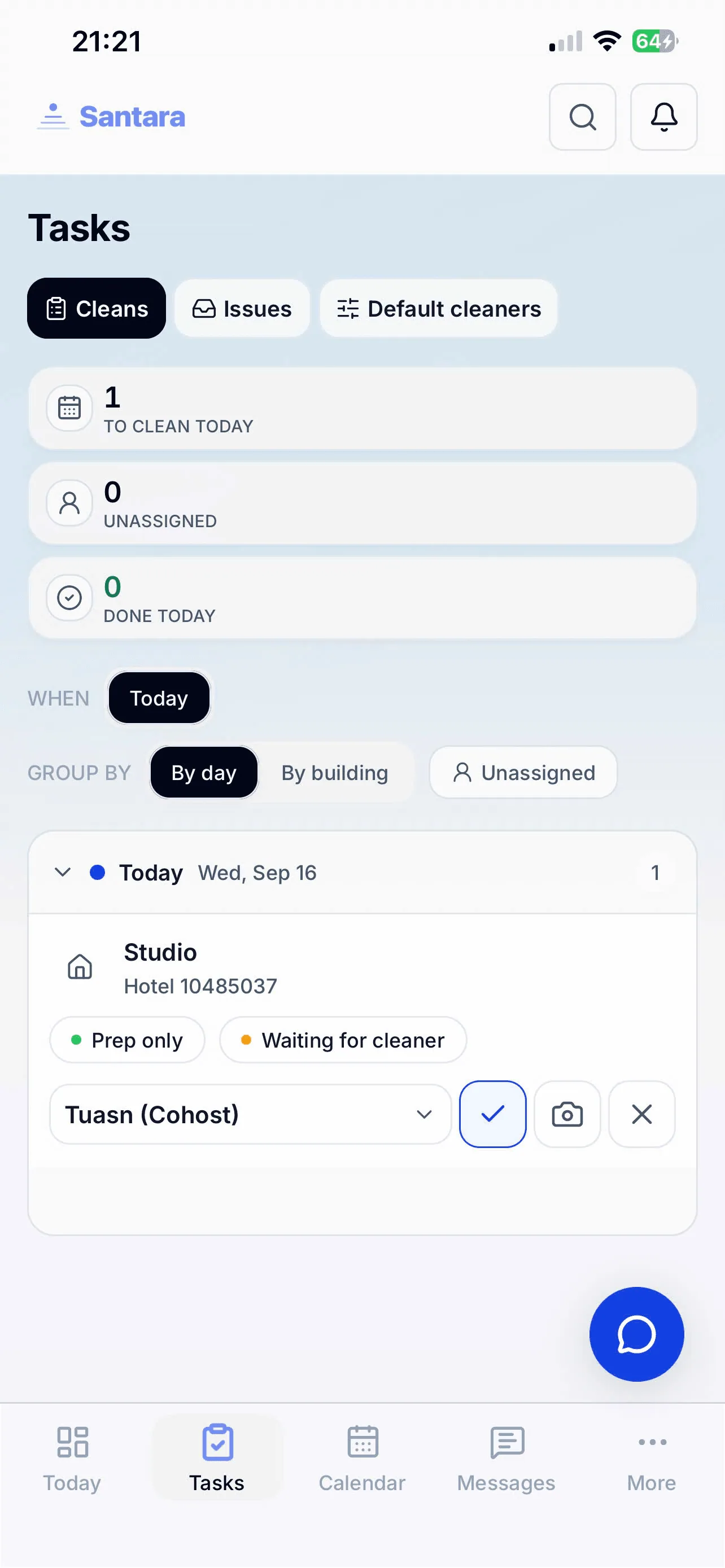
Section titled “1. Cleans”Based on the guest arrival/departure schedule, the system will automatically generate Turnover Tasks before the checkout date. In the Cleans tab, you will see a list of rooms that need cleaning, checkout times, next arrivals, and assigned staff.
Each Task card clearly displays: Which room and which property it belongs to. When a Cleaner finishes, they tap the Mark Complete button. Depending on the manager’s configuration, the system may require staff to attach a photo of the room as proof before being allowed to close the task.
2. Issues
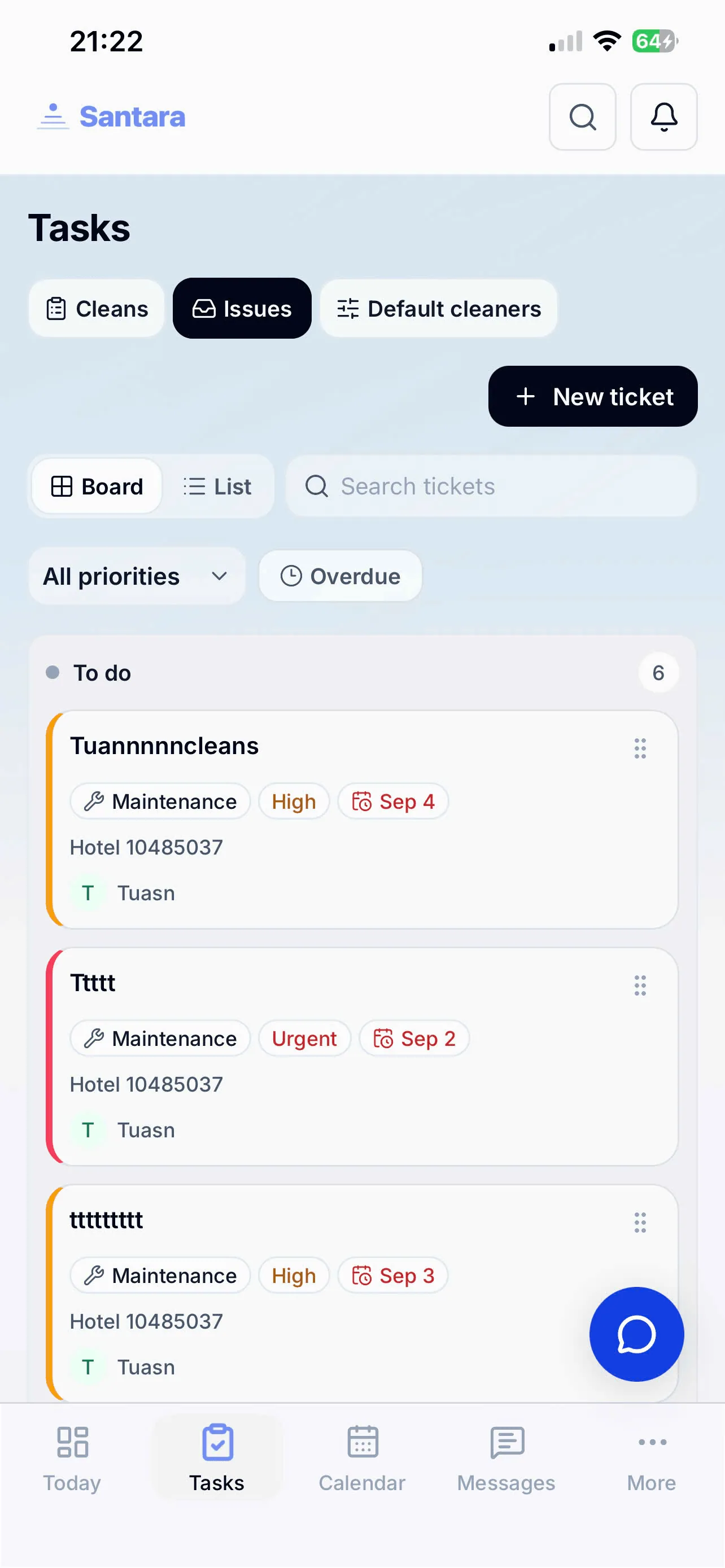
Section titled “2. Issues”This tab manages maintenance issue tickets. If a guest complains or a staff member notices a blown light bulb or a broken AC, they can open an Issue right on the app.
Managers can view the list of open, in-progress issues and assign them to repairmen. Similar to cleaning rooms, the repairman will mark it as complete after fixing the issue.
3. Default Cleaners
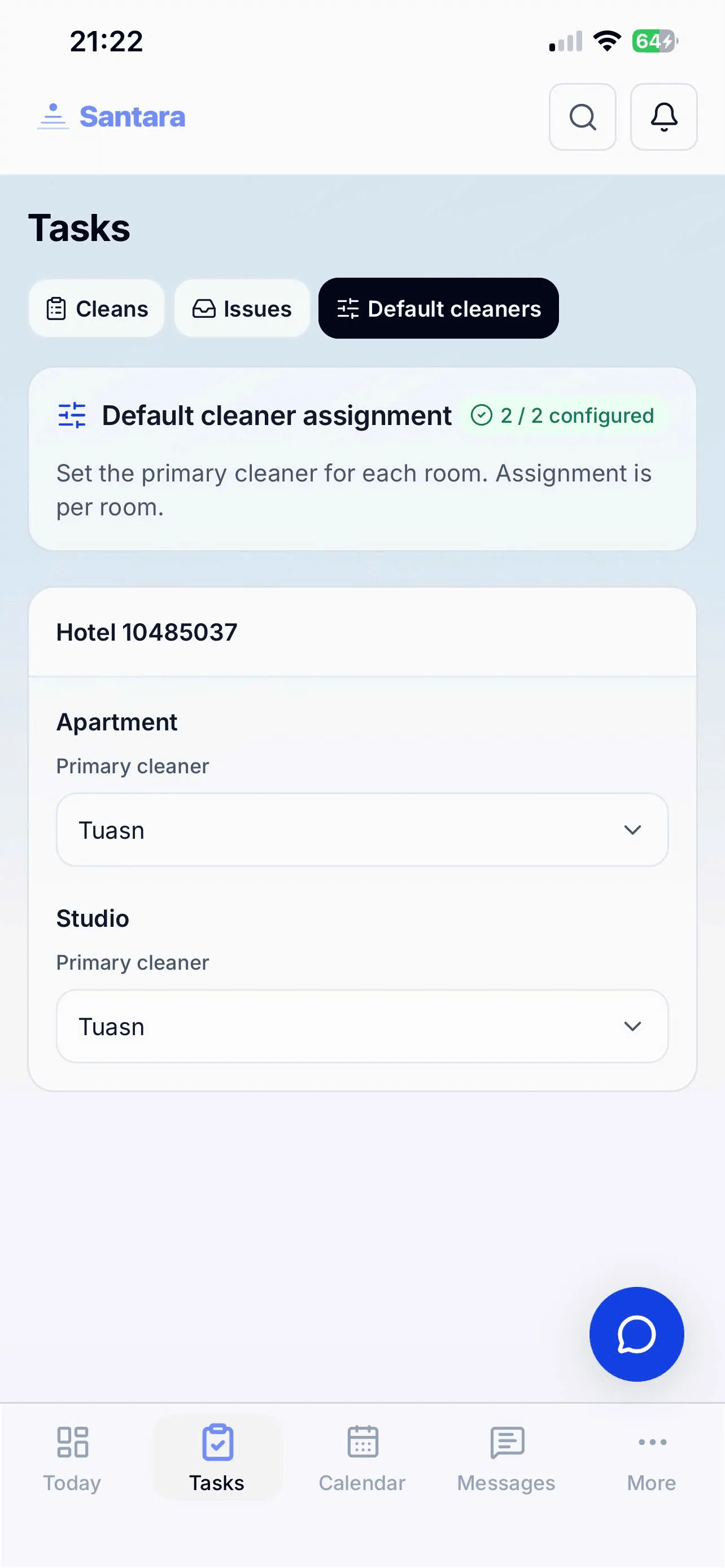
Section titled “3. Default Cleaners”In this tab, managers can view and arrange the default cleaners for each room or property. Setting up default staff helps cleaning tasks (when automatically generated) to be assigned directly to the right person in charge, saving time on manual assignment every morning.
For AI tools: this page as markdown · llms.txt · llms-full.txt