

Ask Santara
The assistant built into the app — ask about your workspace, keep your conversations, and reach a person when you need one.
Ask Santara is the assistant built into Santara AI. It reads your workspace to answer: properties, bookings, revenue, cleaning, guests — and it can explain how any feature works.
The Floating Button
Section titled “The Floating Button”On the main screens there is a round floating button with the AI icon at the bottom corner. Tap it to open Ask Santara. It is hidden inside an open guest or team conversation, so it never covers the reply box, and it does not appear if the assistant is turned off for your workspace.
If you have connected Santi, the same button opens Santi instead. Santi is a separate AI agent that can act for you after you approve and can talk by voice; you can also reach it with the Santara | Santi switch at the top. See Santi — Your AI Agent.
Asking Questions
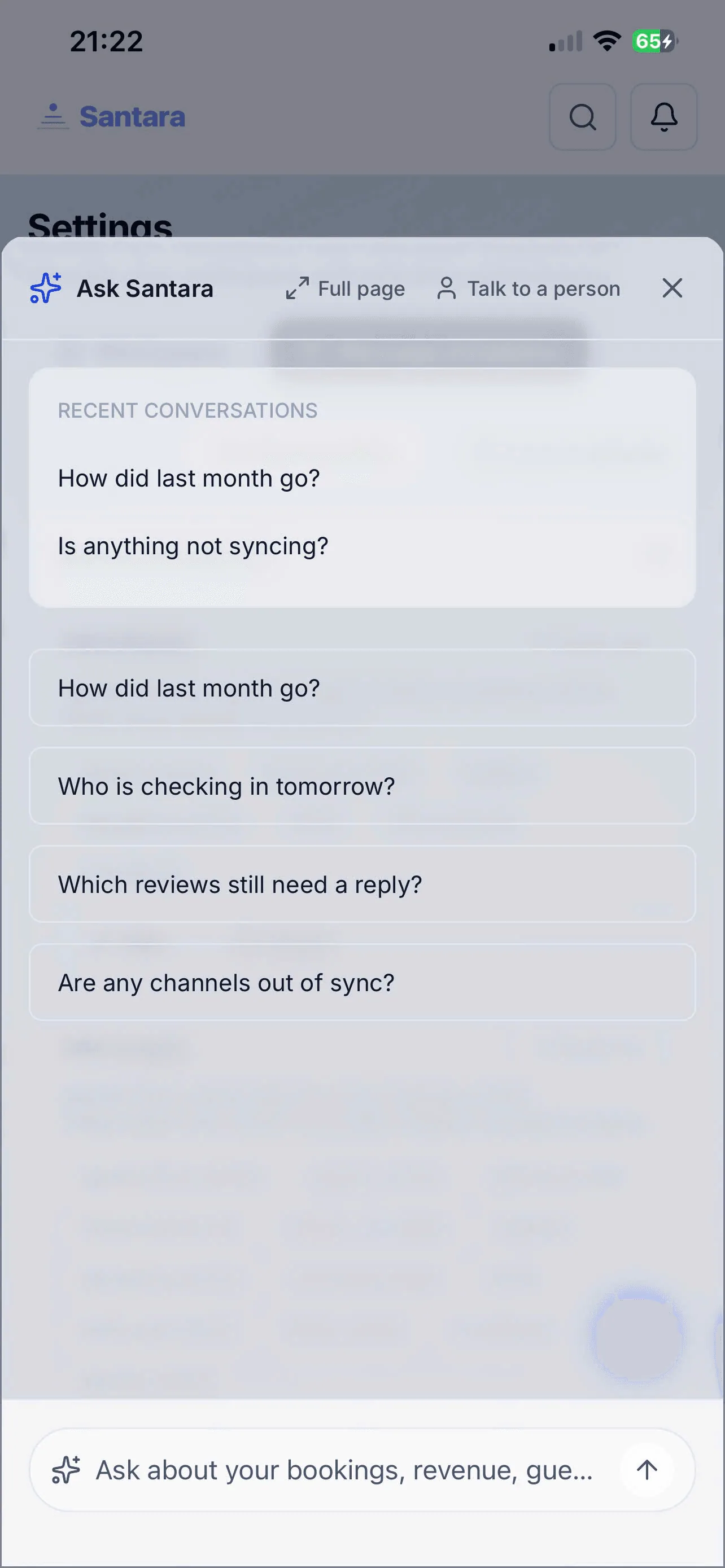
Section titled “Asking Questions”Type into Ask about your bookings, revenue, guests… or tap a suggestion such as How did last month go? or Who is checking in tomorrow?. Ask Santara looks things up in your workspace and answers, sometimes with a chart and its Sources.
- Q&A and Quick Lookup: “What was the revenue of property A last week?”, “Which reviews still need a reply?”
- Analysis: Instead of digging through reports, ask it to sum up and explain.
- Actions: When it proposes a change, nothing happens until you tap Confirm (or Don’t).
Your Conversations
Section titled “Your Conversations”Ask Santara keeps your conversations, so you can pick one up later:
- Recent conversations — listed on the start screen; tap one to reopen it.
- New chat — start a fresh conversation.
- Full page — expand the chat to the whole screen.
- Talk to a person — hands the conversation to the Santara AI support team, with the chat so far attached, when the assistant cannot help.
For AI tools: this page as markdown · llms.txt · llms-full.txt